Scheduling with Compliance
Before publishing your schedule, 7shifts flags compliance issues directly on the Schedule page — including conflicts, overtime, labor exceptions, minor scheduling restrictions, and unassigned shifts. All warnings are consolidated into a single dropdown so you can review and resolve issues without scrolling.
In this article, you'll discover the visual cues on the Schedule page that will help you stay compliant with local labor laws.
Things to Know
- An Admin must configure the Account's compliance setting to ensure they meet regional/federal requirements and to allow compliance warnings to appear.
- Schedules can still be published when warnings are present.
Compliance Warnings
All schedule warnings are consolidated into a single dropdown card in the top-right corner of the Schedule page. Click the Warnings button to open the dropdown and see a summary of active issues.
The dropdown displays the following warning types:
- Exceptions: Shifts that violate state labor laws.
- Overtimes: Shifts that will put an employee into daily or weekly overtime.
- Conflicts: Duplicate shifts or shifts booked over approved time off/availability.
- Unassigned shifts: Shifts with no employee allocated.
- Minor warnings: Shifts that may violate minor labor laws.
Tip: To isolate affected shifts on the schedule, click View on Schedule icon next to any warning type. 7shifts will highlight only the impacted shifts so you can make adjustments directly.
A Last published timestamp appears beside the Warnings button, showing when the schedule was last published.
If individual shifts have warnings, 7shifts highlights the shift on the schedule. Hover over the warning icon on a shift to see the specific issue.
| Unpublished shifts | Labor Exceptions | Conflicts | Overtime |
Learn more about setting up your Overtime Rules here, configuring Minor Labor Compliance here, or enabling Labor Exceptions here (if they apply to your region).
Minor Indicators
Note: Only Admins and Managers/Assistant Managers, with the permission "Can manage schedules" enabled, can view minor indicators. Read more about Manager Permissions here.
7shifts automatically displays a M indicator next to the names of all employees under the age of 18. This icon is generated using the birth date entered in the employee’s profile, allowing scheduling Managers to quickly identify underage staff and maintain labor law compliance.
Because the system calculates an employee's age based on the specific day they are being scheduled, the indicator will always reflect their current age for that shift.
Managers with the necessary permissions can also hover over the M indicator to view the employee's exact age and any applicable scheduling rules.
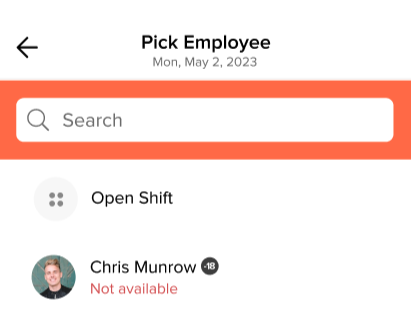
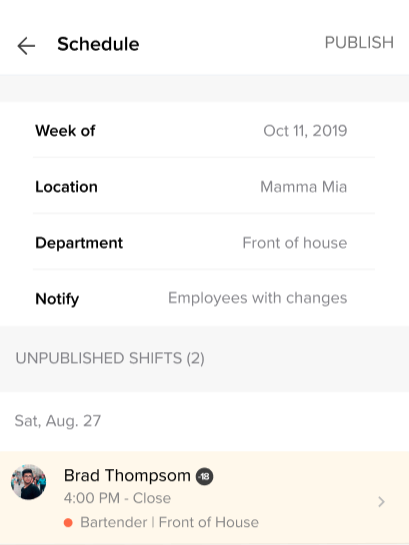
The M indicator is visible on both the web and the mobile app:
Viewing the Schedule:
List by role Layout
Time frames Layout
Shift Pool - approving/denying requests:
Viewing the Schedule:
Creating shifts:
Picking and employee
Reviewing unpublished shifts
Shift Pool - approving/denying requests: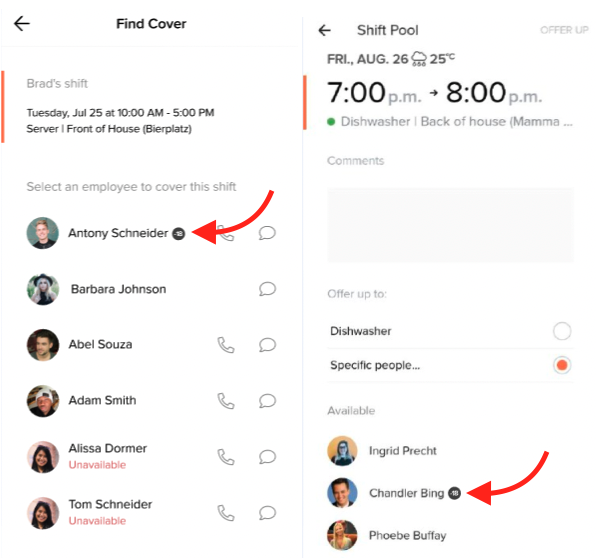
Shift Pool - finding cover/offering up a shifts
Shift Pool - approving/denying requests